

THE NEW GYMNATION APP!
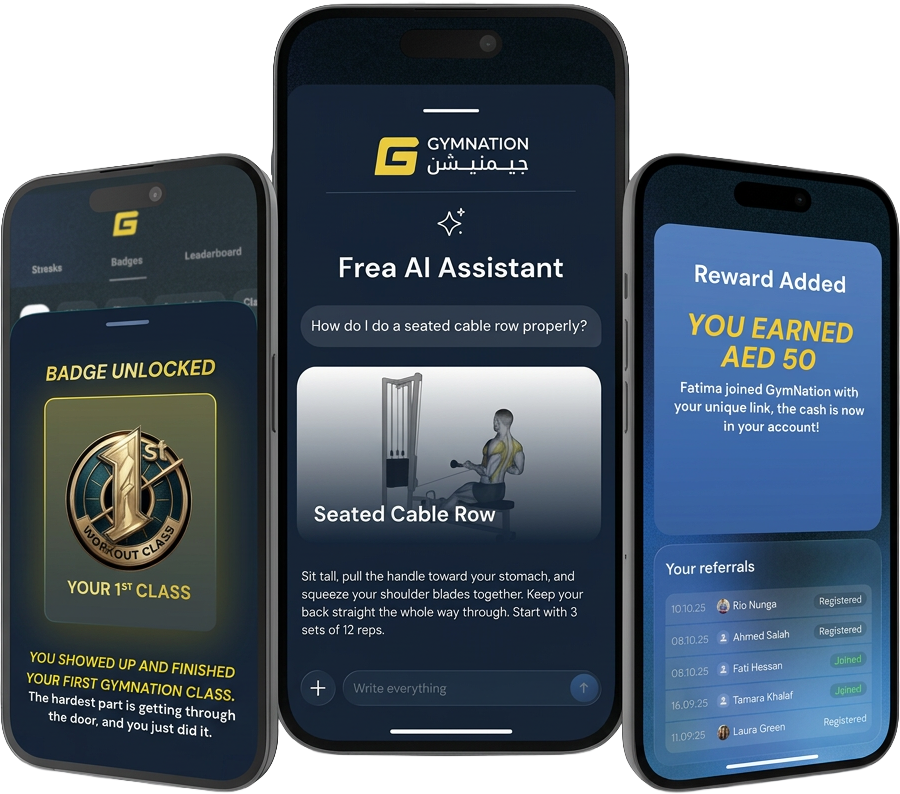
Meet Frea, your in-app AI coach. Book classes, earn badges, climb the leaderboard, and earn cash every time you refer a friend. Your whole GymNation experience, now in one app.
DOWNLOAD THE GYMNATION APP NOW


GYMNATION APP FEATURES
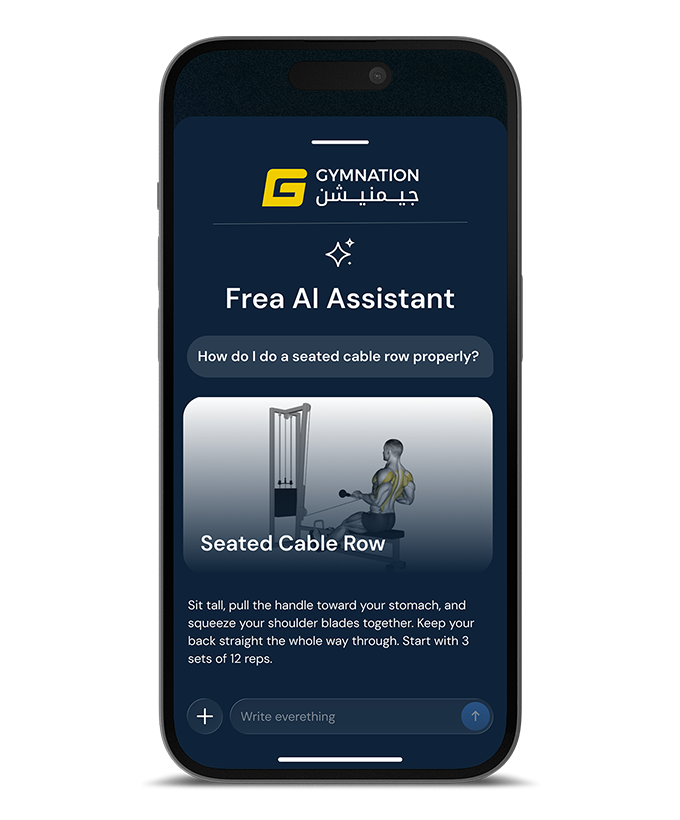
FREA, YOUR AI FITNESS COACH
Meet Frea, your in-app AI assistant. Ask anything about your training, your workouts, or how to get the most from the app, and get instant answers any time of day.
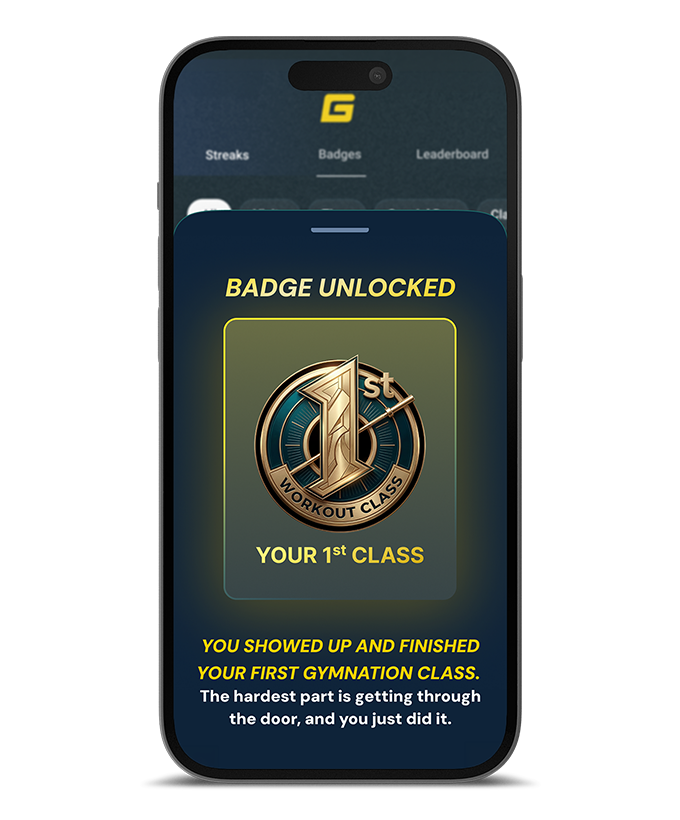
EARN BADGES, BUILD STREAKS
Rack up achievement badges across Visits, Classes, Streaks and Time milestones. Every workout counts, so keep showing up and watch your collection grow.
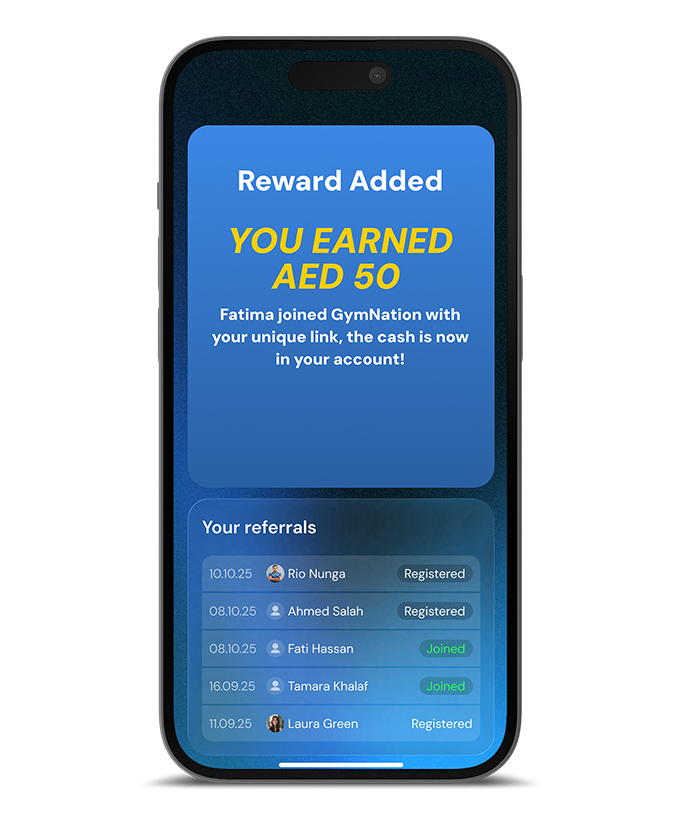
REFER FRIENDS, EARN CASH
Share your referral link and earn cash rewards for every friend who joins. Track all your referrals and rewards right in the app.
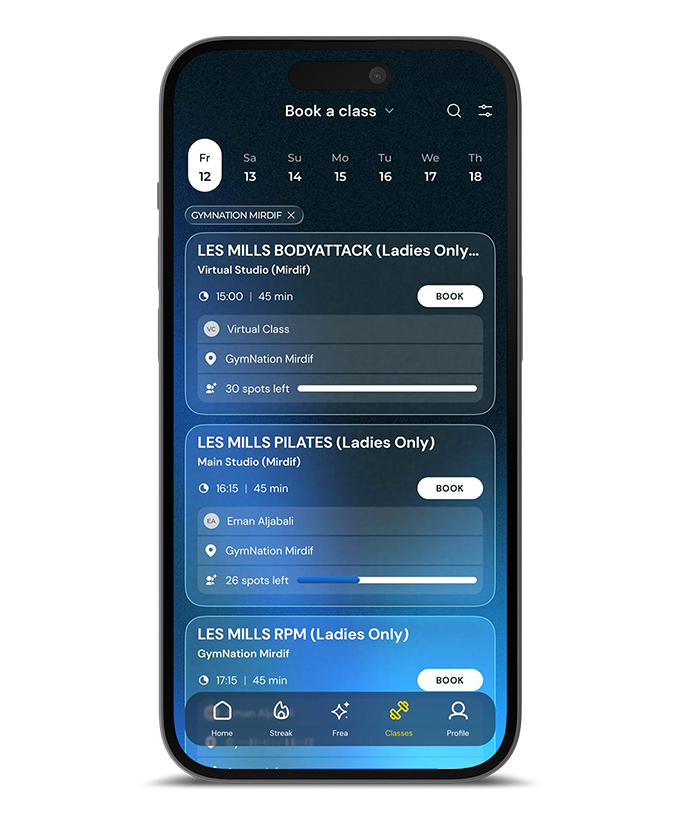
PLAN & BOOK CLASSES
Browse and book in-person or virtual classes in seconds. Filter by date, location, class type, instructor, time and availability to find the perfect session for you.
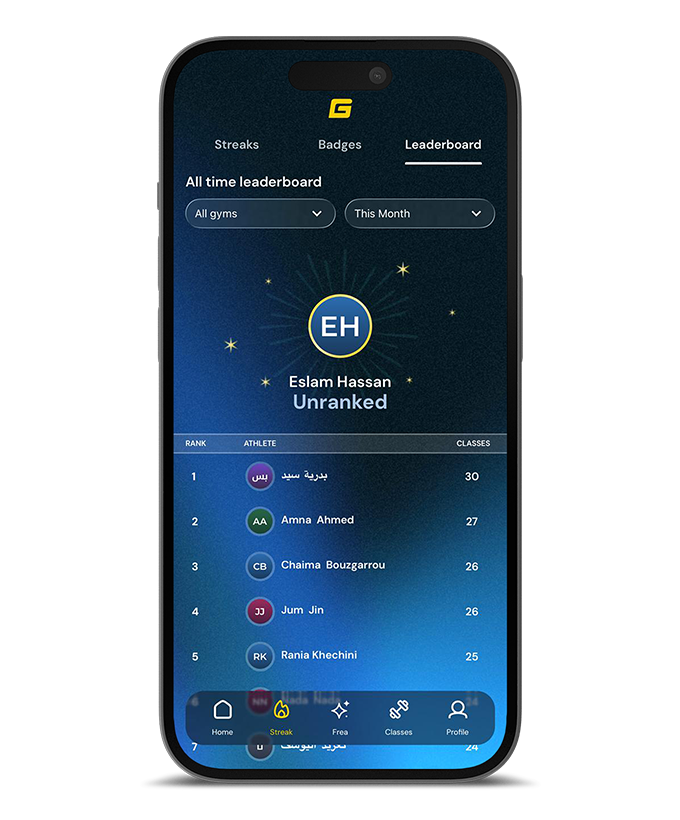
CLIMB THE LEADERBOARD
Compete with members across your city and gym, ranked by classes attended. Filter by time period and see exactly how you stack up.
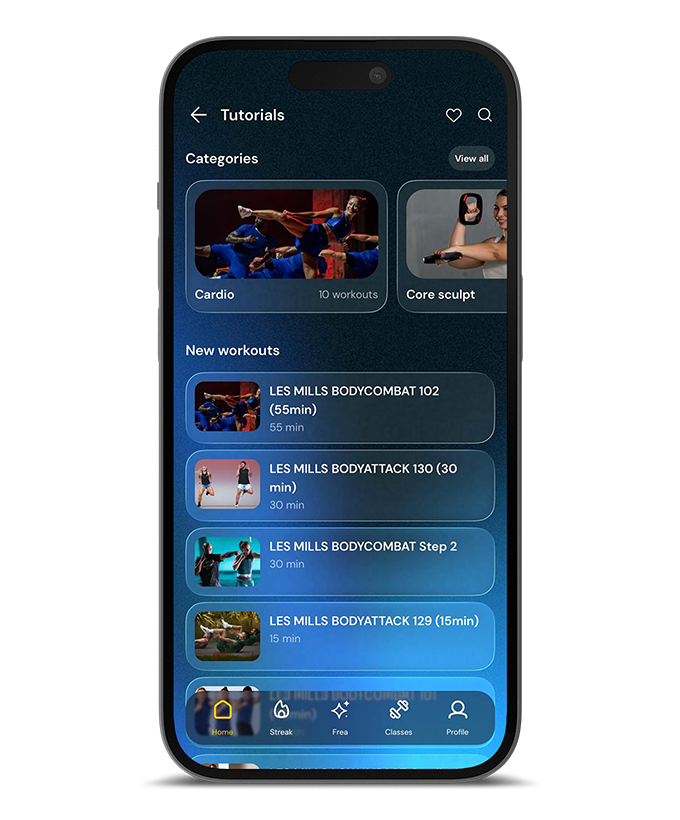
YOUR WORKOUT VIDEO LIBRARY
Stream 1,000+ workouts, from full LES MILLS classes to quick 15-minute sessions. Browse by category, save your favourites, and find the perfect workout.
How do I download the GymNation app?
The GymNation App can be downloaded by clicking on the buttons at the top of this page, or through the links below:
- Click here for the App Store (IOS/Apple)
- Click here for Google Play (Android)
How do I login to the GymNation App?
1. Download the GymNation App
- Click here for the App Store (IOS/Apple)
- Click here for Google Play (Android)
2. Click "Log In" and then click "Forgot Password?"
3. Enter your email address and click "Reset Password" - (The email must match the one that you used to join GymNation with.)
4. Check your emails (+ Junk/Spam folders), click the reset link and reset your app password to a password of your choice.
5. Log in to the app using your email and new password.
If you need any further help, have questions on how to use the app, or you have forgotten your registered email address, please speak to the team at reception on your next visit, or Contact GymNation.
I've requested to reset my password, but I didn't receive a password reset link?
Firstly, please check your junk/spam folders to see if the reset email has been delivered there. Alternatively, the email you have entered on the app, may be different from the one you joined GymNation with. Another reason may be because your mailbox is full and you cannot receive any new emails. If you are still not receiving the email, please speak to the team at reception on your next visit, or Contact GymNation.
What happens if the app says my email is not registered?
If you see this message when trying to reset your app password, it is likely that the email you have entered on the app, may be different from the one you joined GymNation with. If you are still not receiving the email, please speak to the team at reception on your next visit, or Contact GymNation.
What happens to the old GymNation App?
The old GymNation App is no longer in use, please delete this from your device.
I forgot my GymNation App password. What do I do?
1. Click "Log In" and then click ""Forgot Password?"
2. Enter your email address and click "Reset Password" - (The email must match the one that you used to join GymNation with.)
3. Check your emails (+ Junk/Spam folders), click the link and reset your app password to a password of your choice.
4. Log in to the app using your email and new password.
If you need any further help, have questions on how to use the app, or you have forgotten your registered email address, please speak to the team at reception on your next visit, or Contact GymNation.
My QR code is not showing in the GymNation App?
If your entrance QR code is not showing within the GymNation App, please speak to the team at reception on your next visit or Contact GymNation.
Can I access the GymNation App as a non-member?
Yes, but only as a guest. Guest users will be able to view the GymNation class schedules for each location, but in order to book into classes and use other member-only app features, you will need to be a GymNation member - Join GymNation Here TODAY....!
I have an issue with the GymNation App?
If you need any further help, have questions on how to use the app, or you have forgotten your registered email address, please speak to the team at reception on your next visit, or Contact GymNation.